Description
How to activate
- Open the Steam app and sign in.
- Click Games → Activate a Product on Steam…
- Enter your key and follow the prompts. The game appears in your Library.
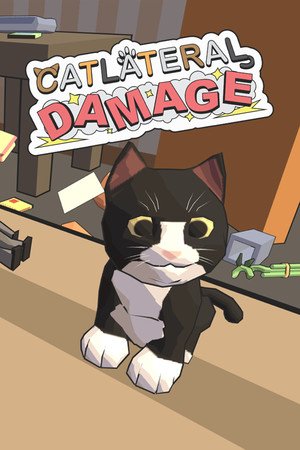
Catlateral Damage is a first-person destructive cat simulator where you play as a cat on a rampage, knocking as much stuff onto the ground as possible. See the world through the eyes of a cat! Like other first-person games, you can walk and look around, jump, and crouch. Unlike other first-person games, your primary weapons are your two cat paws, which you can use to swipe at and knock objects onto the floor. Epilepsy warning: Some in-game effects may be problematic for some players. These can be disabled in the “Options” menu on the title screen or in-game. Features Play from the perspective of a crazy domestic house cat. Destroy precious collectibles and expensive electronics with your little paws. Make a mess of every room in the house, from the bedroom to the kitchen. Procedurally-generated houses for endless replayability. Loads of collectibles, unlockable cats, and power-ups. Over 230 photos of real-life cats to find and collect.
Region
REGION FREE
Languages
English
System requirements
Windows
- OS: Windows XP Processor: 2.0 GHz Memory: 2 GB RAM Graphics: NVIDIA GeForce 8600 GT Storage: 1 GB available space Additional Notes: Epilepsy warning: Some in-game effects may be problematic for some players. These can be disabled under the “Audio/Visual” tab of the “Options” menu on the title screen.
Mac
- OS: OS X 10.6 Snow Leopard Processor: 2.0 GHz Memory: 2 GB RAM Graphics: NVIDIA GeForce 320M Storage: 1 GB available space Additional Notes: Epilepsy warning: Some in-game effects may be problematic for some players. These can be disabled under the “Audio/Visual” tab of the “Options” menu on the title screen.
Linux
- OS: Ubuntu Processor: 2.0 GHz Memory: 2 GB RAM Storage: 1 GB available space Additional Notes: We cannot support distributions that are not officially supported by Steam. Epilepsy warning: Some in-game effects may be problematic for some players. These can be disabled under the “Audio/Visual” tab of the “Options” menu on the title screen.





Reviews
There are no reviews yet.